
Let’s do an analysis of the UI differences between the FitBit and the Microsoft Band. Watch out, Microsoft… the FitBit user interface just got better.
I last blogged about the Microsoft Band 2 and my wishlist of 25 features. I’m pleased that the team has already fixed 3 features, leaving 22 remaining 🙂
Everyone in the Cogan household is continuing my social experiment and wearing both the Microsoft Band 2 and the Fitbit. The Microsoft Band is better in so many ways but the visual differences in the mobile app are its biggest weakness.
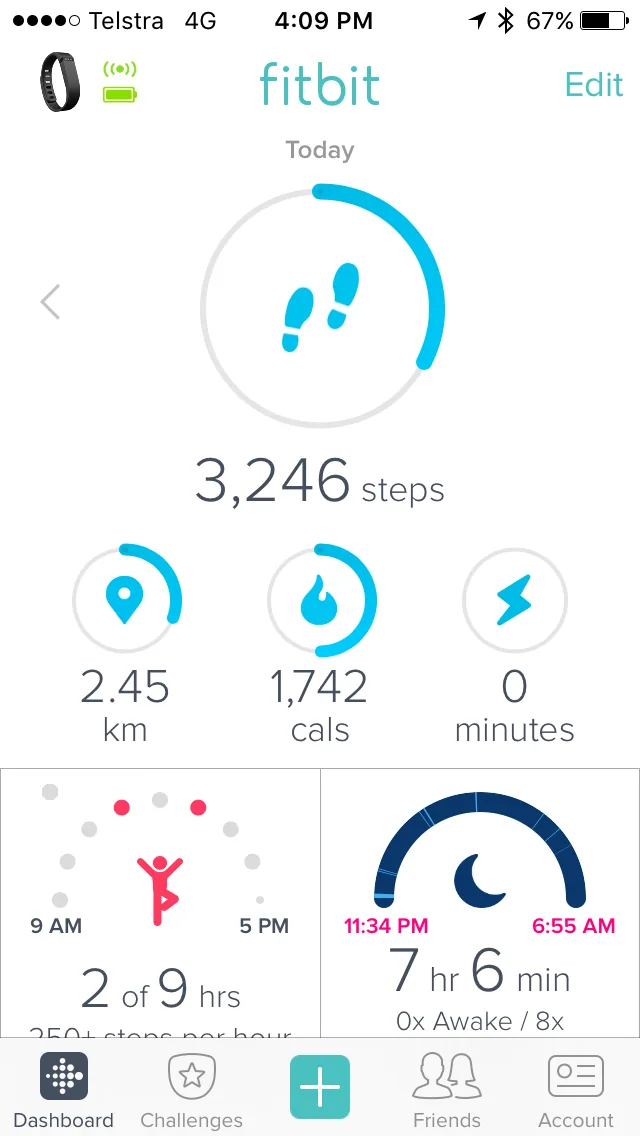
I see 6 pieces of information on the Fitbit
- 6 visualizations of data
- 6 numbers
Vs.
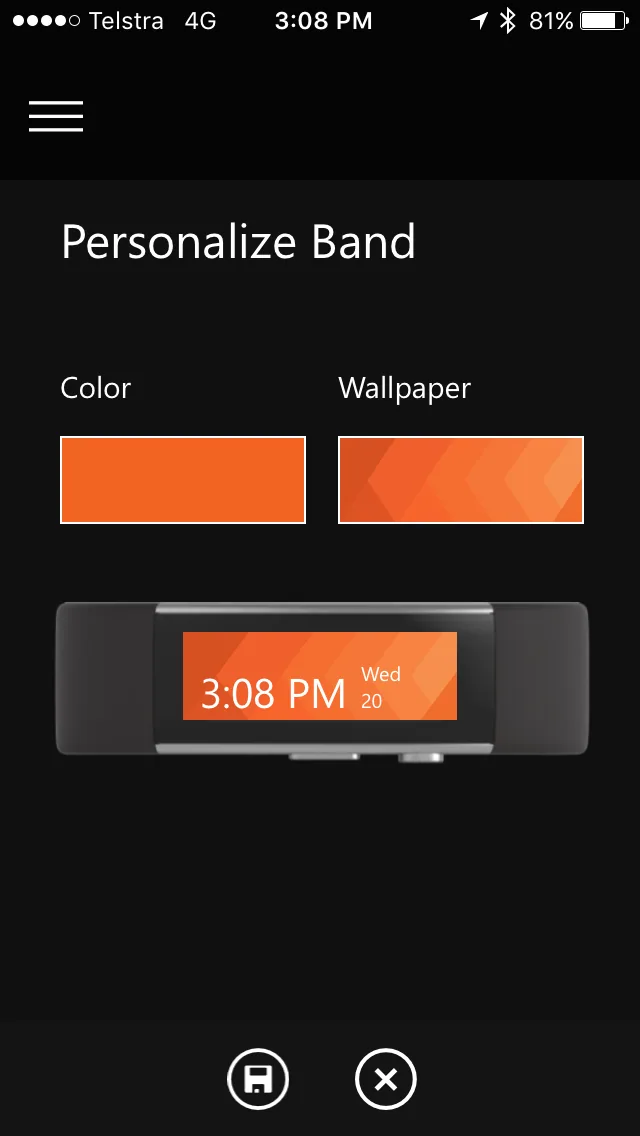
I see 3 pieces of information on the Microsoft band
- 0 visualizations
- 3 numbers
- Drag down to synchronize
- Syncing takes 5 seconds
- The ability to sync on multiple devices; in my case, both my iPhone and iPad
Vs.
- Can’t sync naturally on this screen
- Syncing takes 2 minutes and 5 seconds
- Can only sync on 1 device; in my case, my iPhone
Customizing on the Fitbit
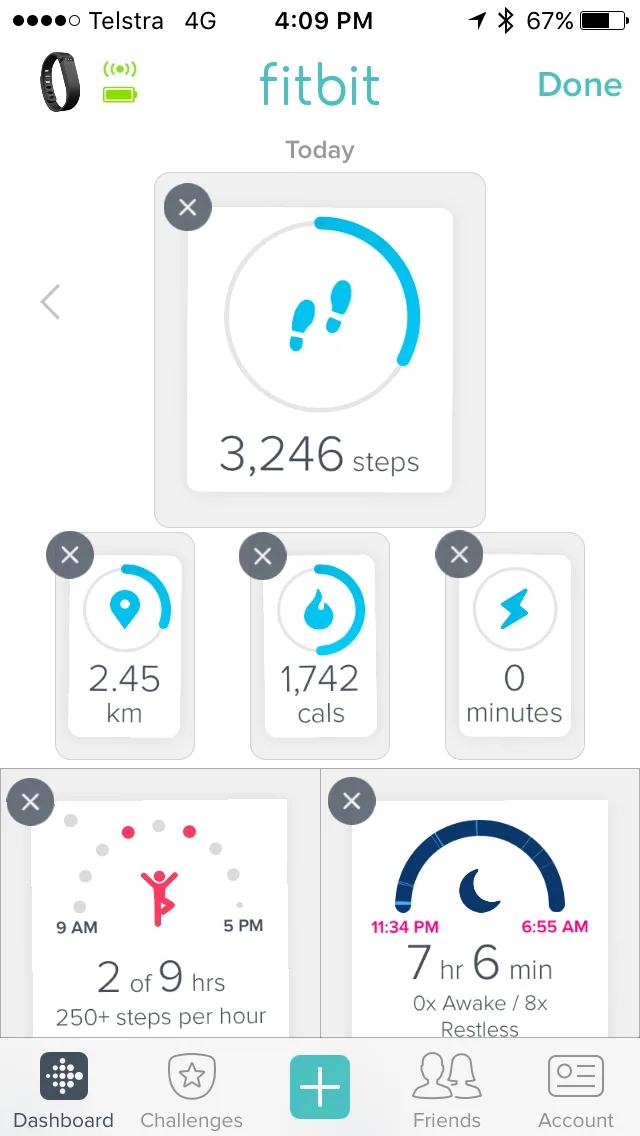
- Just press “Edit”
- UI shows the controls in the Edit view in the same place
- Easy-to-use iOS metaphor with shaking, dragging and “x” to delete
Vs.
– A completely different Edit view
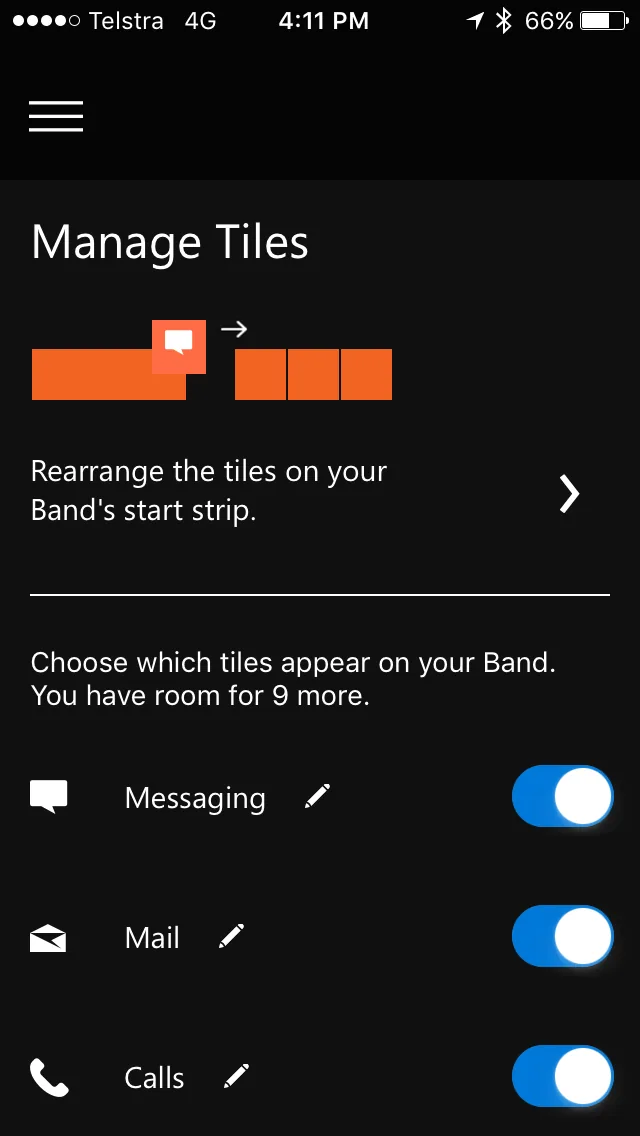
Also note: The normal UI’s 3rd menu is “Cals”, but on the customizing UI the 3rd menu is “Calls”… You can’t remove it 🙁
I’m loving the Microsoft Band 2. The updates so far have been improving the experience heaps. Let’s hope some UI improvements are coming.
Comments
No comments on this post.