
Guys, I’m happy to tell you that we have completely redesigned SSW TV and I’d love if you could spare a few moments to take a look!
http://tv.ssw.com/ (opens in a new tab)
Here are the top 3 changes I think you will like:
- Quizzes: We wanted to provide more value to the viewer and give them an opportunity to reinforce the key points of the video. Now you can take a short quiz. Go ahead and test your knowledge!
- TV Format: We have finally ditched the blog format. See how the content is now more accessible in our new TV-friendly format with the playlist down the right, showing the newest 16 releases. I preferred the scroll stopped when it got to #16, but I lost that argument and it now revolves endlessly.
- Navigate by Technology: Say you want to see all the SharePoint videos? Now just click “SharePoint” in the new section on the bottom right “Navigate by Topic”
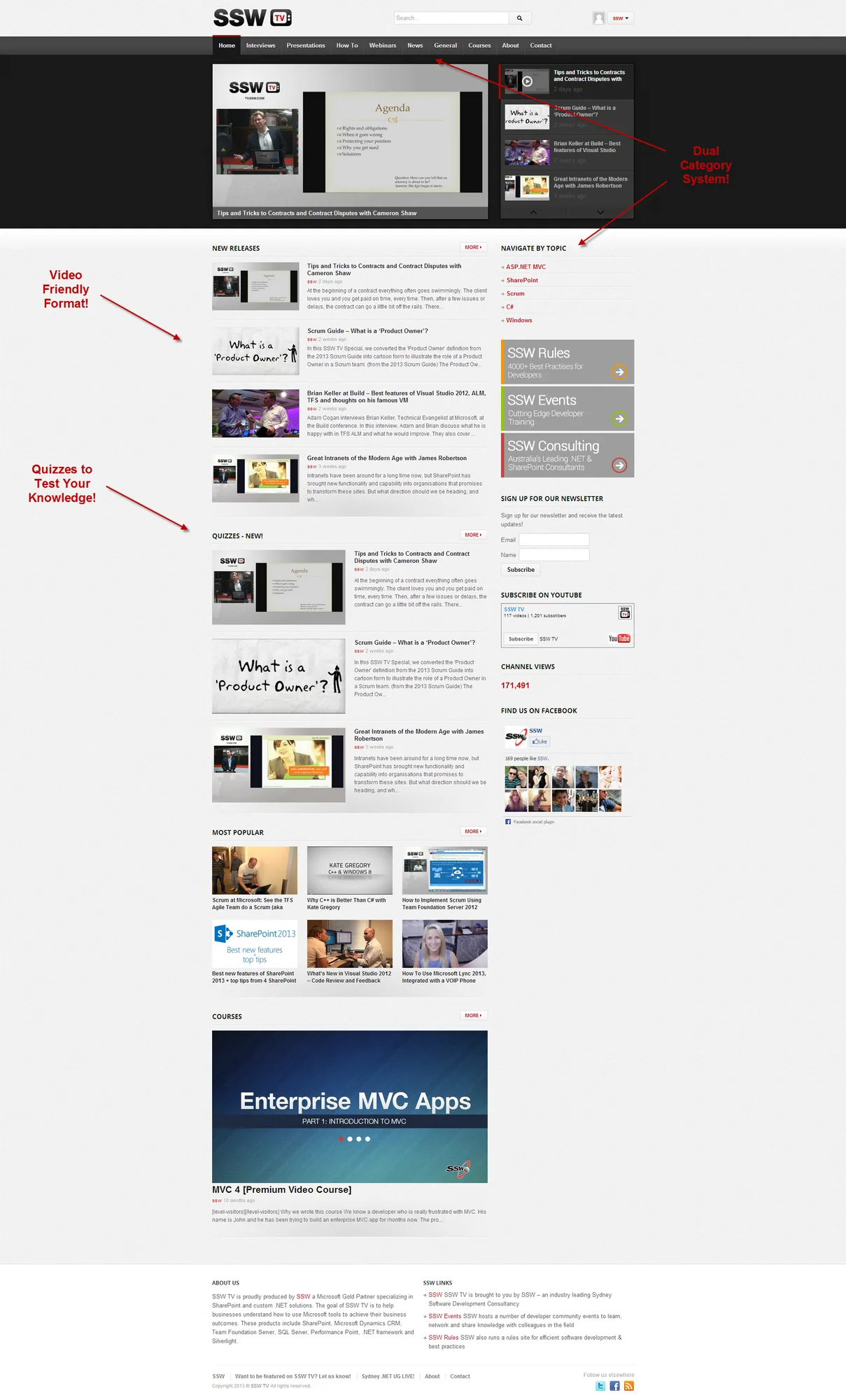
Figure: New SSW TV Video-style Design
With this new look and feel, you will notice that we have moved away from the old blog format (below).
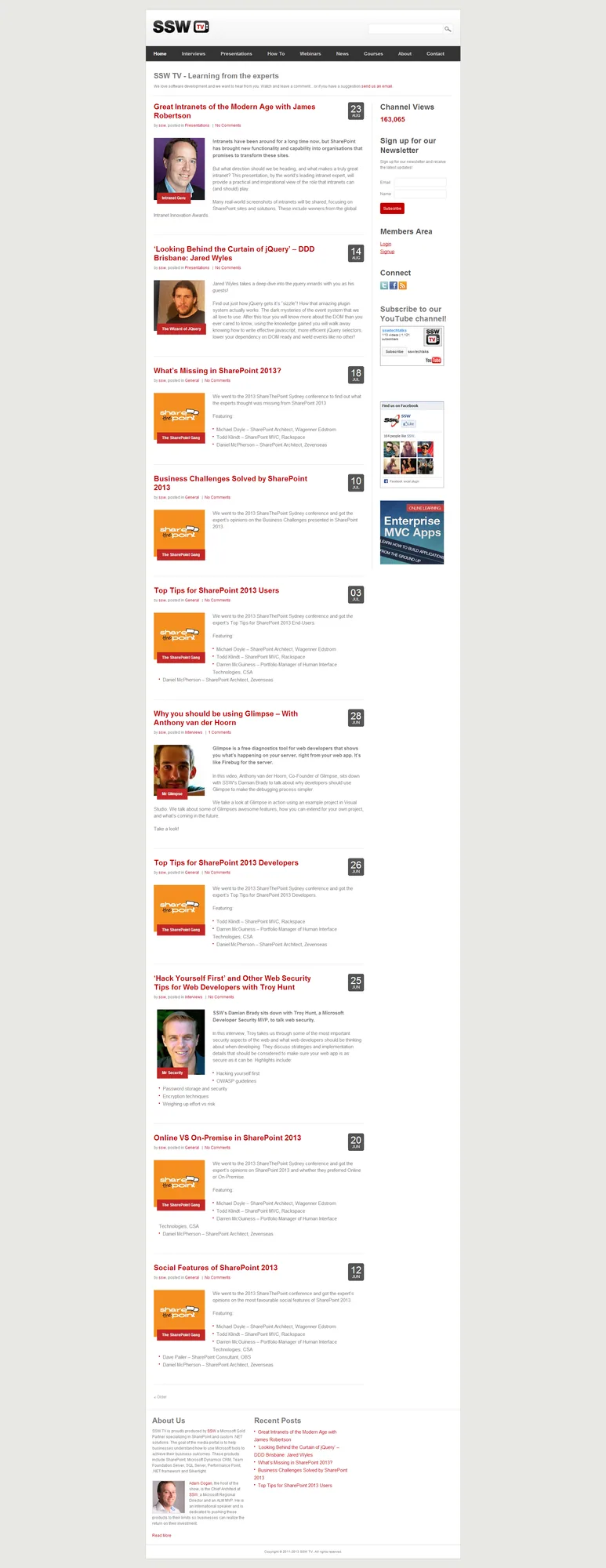
Figure: Old SSW TV Blog-style Design was just a blog
If you miss the old view, just hit one of the “More” buttons eg. http://tv.ssw.com/home/browse (opens in a new tab)
If you have any ideas for improvement on the new layout, sing out by leaving a comment! Cheers
Cheers, @AdamCogan
Comments
No comments on this post.