
For years, .NET has been a dependable framework for constructing resilient and scalable applications. The release of .NET 8 marks a significant evolution in our software ecosystem, introducing a host of compelling features and enhancements.
.NET 8 is simpler, has better performance, and is more secure. The migration path is hairy, however, it promises a lot of cool new features for developers.
Revolutionize your Microservices
One of the things I’m most excited about is .NET Aspire. Microsoft released it a couple of weeks ago (in preview), and it is set to revolutionize the local development experience (aka DevX) for Distributed Applications (aka microservices)… although not just microservices.
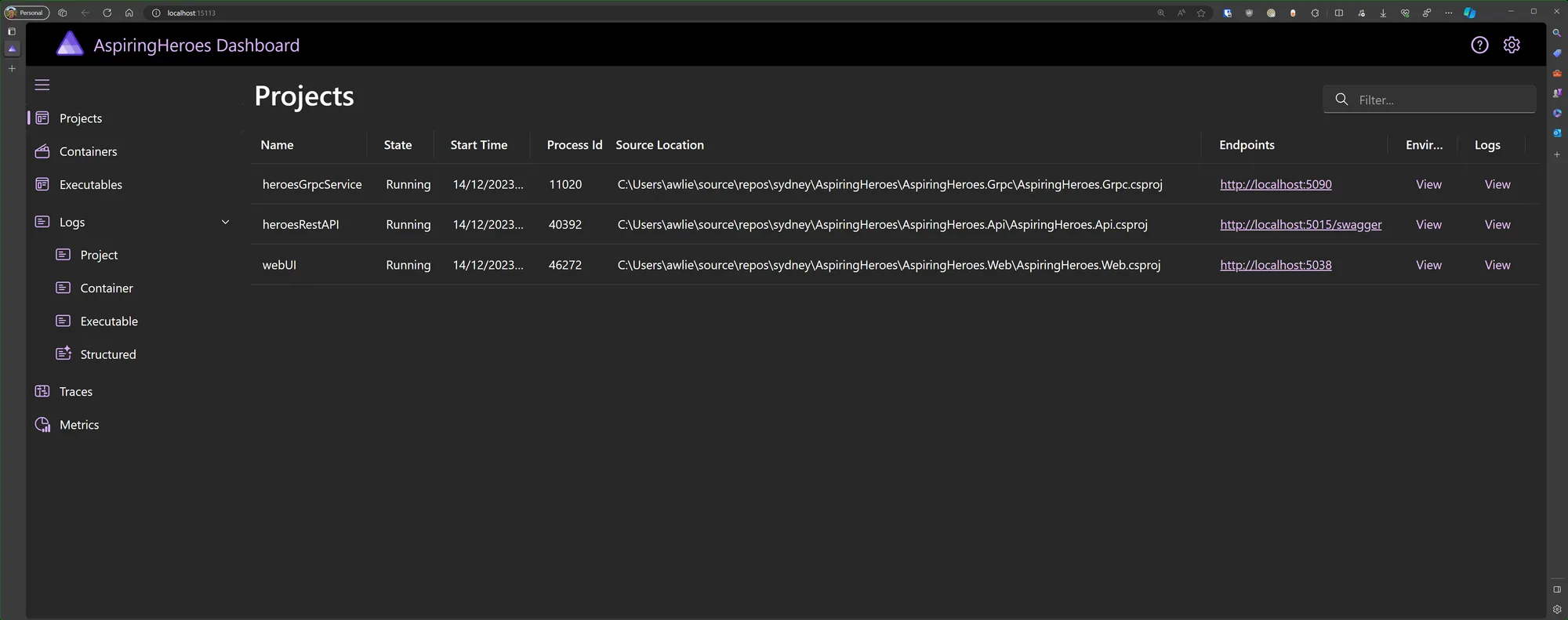
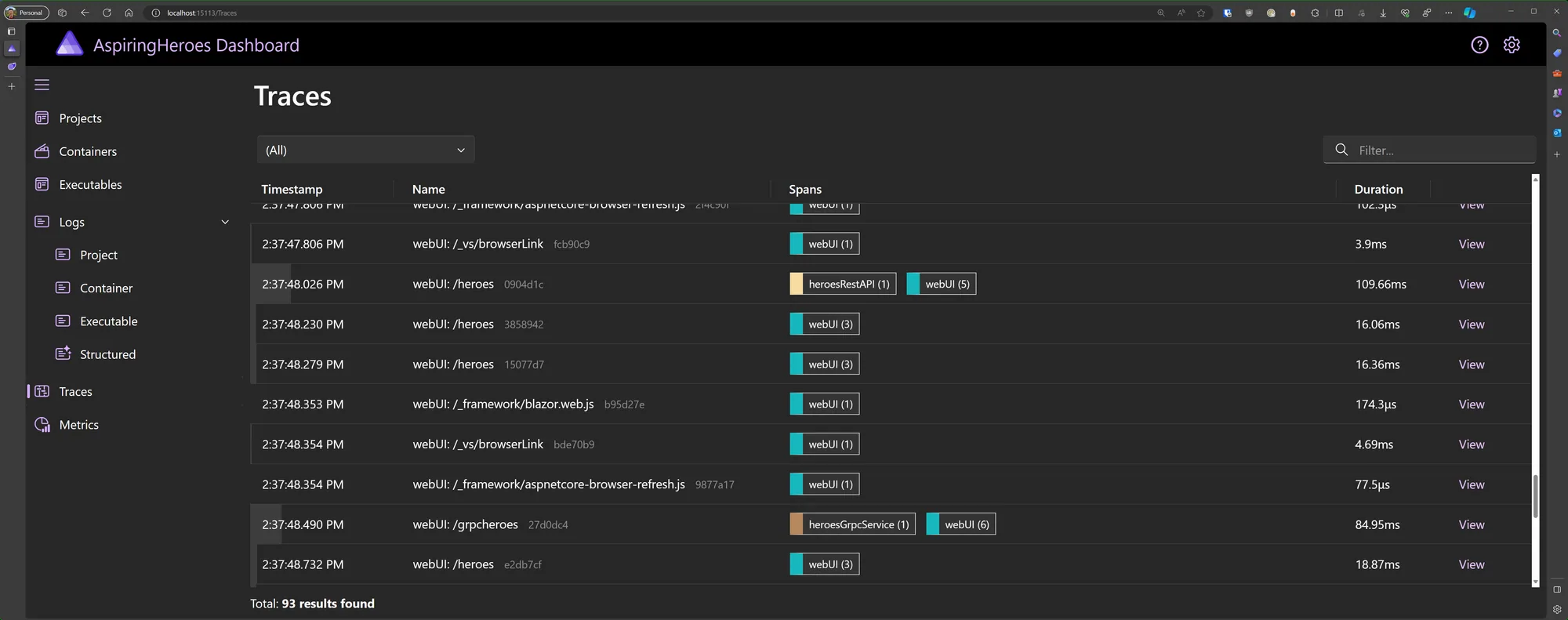
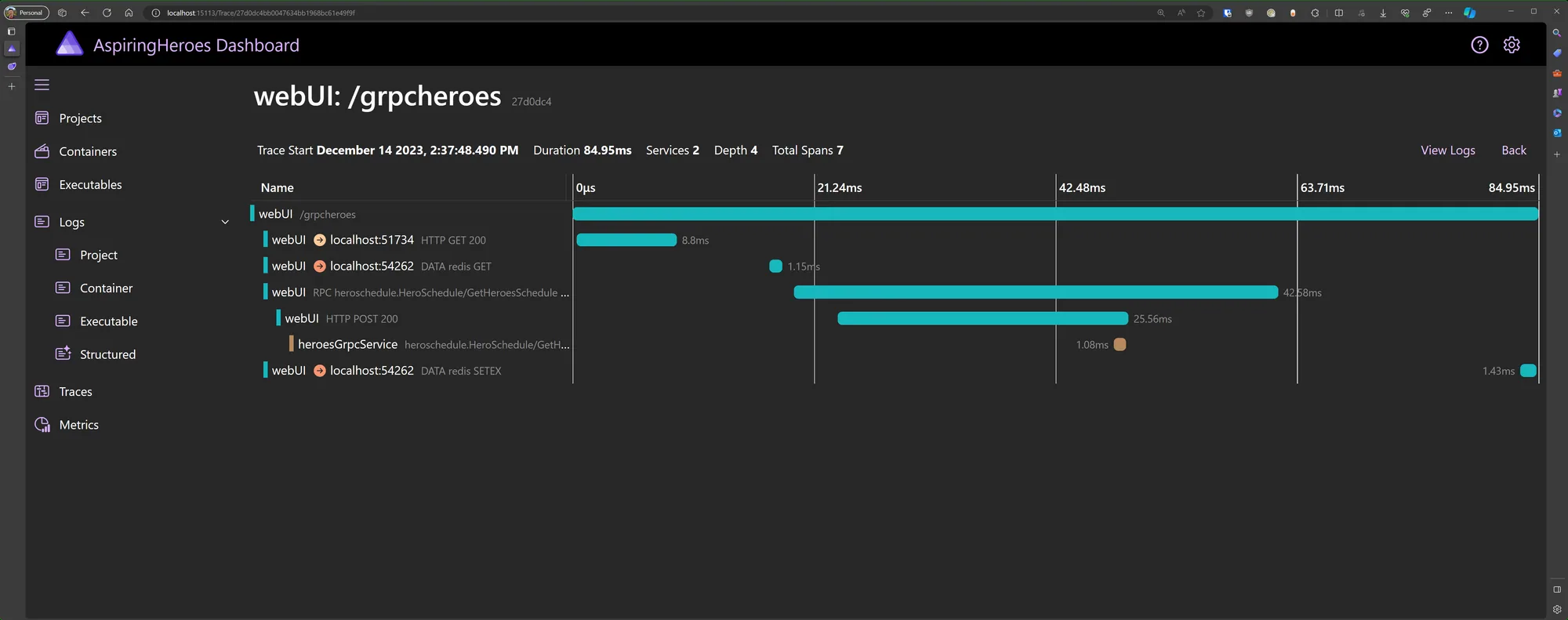
I spoke to some of my devs about .NET Aspire recently and we think is a great option for “any” local development, not just for microservices. Especially when using containers for standing up dependencies like SQL Server or CosmosDB, Redis, Azure Storage, etc. The out-of-the-box tooling for logs, traces, and metrics, e.g. .NET garbage collector state, HTTP queue length, etc., is extremely valuable to keep an eye on how the application is performing and communicating with its dependencies.
The Pain ❌
Before this, it was so painful. Most developers didn’t have all the logs, traces, and metrics set up, and had nothing or used the default Application Insights functionality. At SSW, we usually went the extra mile and used an advanced App Insights configuration. We used to have to manually start up and configure dependencies like:
- SQL Server
- Redis Cache
- RabbitMQ and others…
On top of all of that, we also had to make sure hostnames and ports were correctly configured and were running smoothly. Then you used to have to start other microservices before you could start the one you’re interested in. Once running, each app logged telemetry in different places. If one failed, it was hard to know which one it was, and debugging was super difficult across multiple apps.
The Cure ✅
The goal of .NET Aspire is to improve the local development experience for Distributed Applications (aka microservices). In a nutshell, .NET Aspire helps to improve:
- Orchestration (opens in a new tab) – one-click to start all-the-things
- Observability (opens in a new tab) – we get logs, traces, and metrics all-in-one place, for all apps
- Components (opens in a new tab) – facilitate the integration of cloud-native applications with prominent services and platforms such as Redis, Azure SQL, CosmosDB, Azure ServiceBus, RabbitMQ, Postgres, etc.
The great thing about a .NET Aspire orchestrated application is that we can add all the Projects and Components into one solution. These make up the overall microservices system and have a way to describe how the applications are connected.
var builder = DistributedApplication.CreateBuilder(args);

var cache = builder.AddRedisContainer("cache");
var heroApi = builder.AddProject<Projects.AspiringHeroes_Api>("heroesRestAPI");
var heroGrpc = builder.AddProject<Projects.AspiringHeroes_Grpc>("heroesGrpcService");

builder.AddProject<Projects.AspiringHeroes_Web>("webUI")
    .WithReference(cache)
    .WithReference(heroApi)
    .WithReference(heroGrpc);

builder.Build().Run();
Figure: Developers now use C# to describe the projects and components in the microservices system
The AppHost and ServiceDefaults (opens in a new tab) projects are responsible for all configuration that enables health checking, resiliency, service discovery, telemetry, and more. Wow! ⭐
Give it a go!
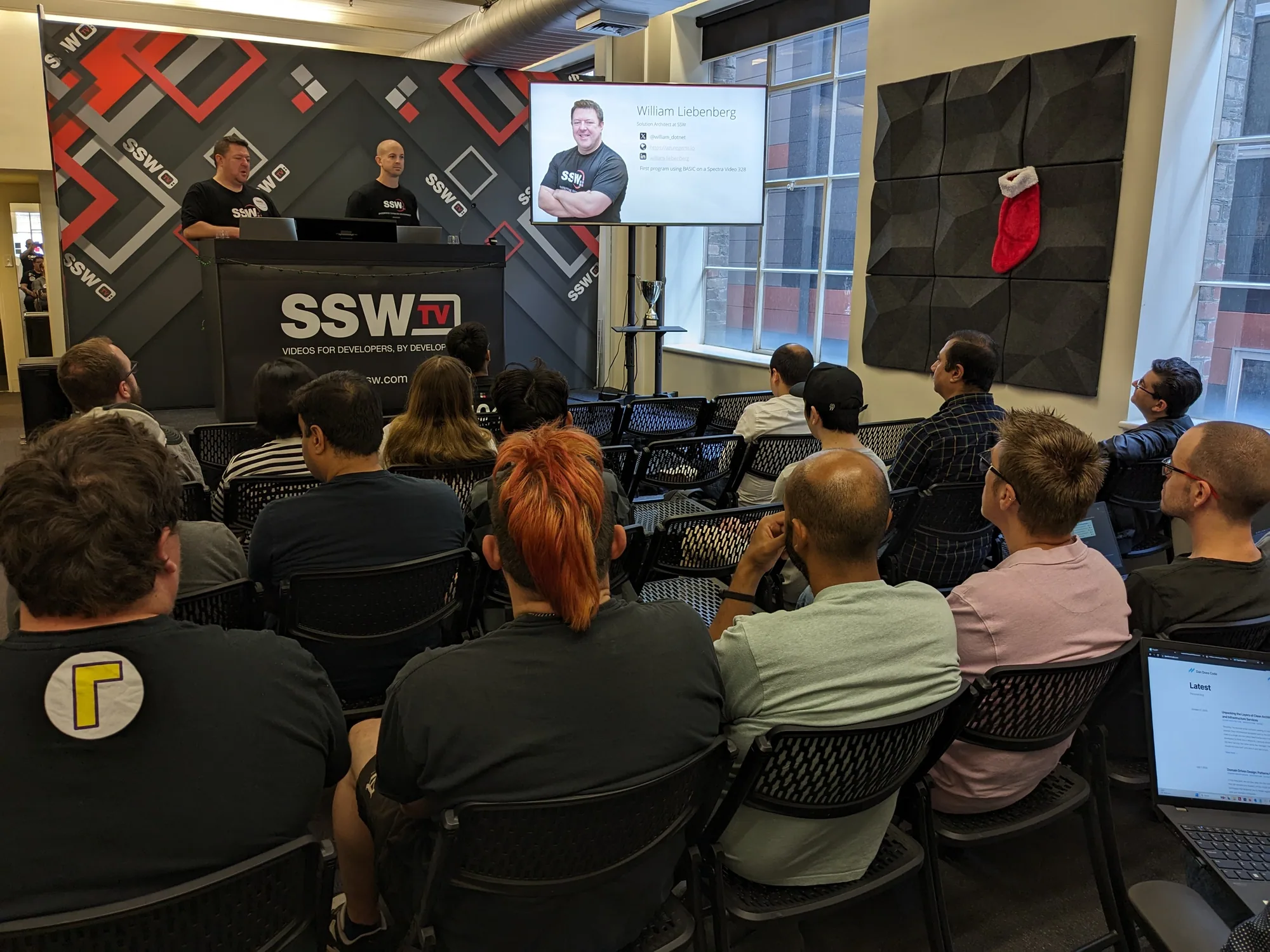
William Liebenberg (opens in a new tab) created a great Getting Started Project, “AspiringHeroes” (opens in a new tab). I highly recommend you spin it up – it takes about 10 minutes to follow the instructions!
Deployment
Aspire applications are going to be right at home in any environment that supports containers. For example, in Azure, we have Azure Container Apps (ACA), and Azure Kubernetes Services (AKS).
On the one side, you’ve got the Microsoft Azure Developer CLI (opens in a new tab) (AZD) to easily deploy .NET Aspire apps to Azure Container Apps, and then you have the open-source Aspirate (opens in a new tab) tool to help deploy your Aspire applications to a Kubernetes cluster. Both of those are covered in the Microsoft docs:
Have you used .NET Aspire yet? I’d love to hear your thoughts. Leave me a comment below!
Comments
No comments on this post.