

About a year ago, during SSW’s annual retreat in Brisbane, we started to imagine what the world would look like if the SSW Rules (opens in a new tab) site was easier to use. Therefore, we had to find an alternative to SharePoint’s content management features.
The first tech we evaluated was an Angular application. Even though we love building complicated applications on Angular, we discounted it as it didn’t suit simple content pages. Next we investigated static site generators and realized this was going to be much better.
Going JAMStack
There are a lot of static site generators such as Jekyll, NextJS, and Gatsby all with strengths and weaknesses. Collectively they are known as the JAMStack
The Jamstack is not about specific technologies. It’s a new way of building websites and apps that delivers better performance, higher security, lower cost of scaling, and a better developer experience.
Pre-rendered sites can be enhanced with JavaScript and the growing capabilities of browsers and services available via APIs.
https://jamstack.org (opens in a new tab)
Dipping our toe in something smaller
We also quickly realized that the old SSW Employee pages (was https://sharepoint.ssw.com.au/AboutUs/Employees (opens in a new tab)) were very similar to our SSW Rules (opens in a new tab) pages, being:
- Static content
- Hosted on SharePoint
- Publicly accessible
So we built the Employee Pages first – basically a prototype for Rules V2. By that time we were approaching NDC 2019 and got busy on various other projects, such as the SSW Rewards App… however on SSW bench time Matt W. (opens in a new tab) and Jean T. (opens in a new tab) were able to continue it and released it January 2020.
Of course, things got a bit more complicated than initially planned, and we had to deal with a few hiccups – such as changing our preferred JAMStack and migrating SharePoint history into GitHub history. Thank you also to Tiago (opens in a new tab), Harry (opens in a new tab), Sebastien (opens in a new tab), and David (opens in a new tab).
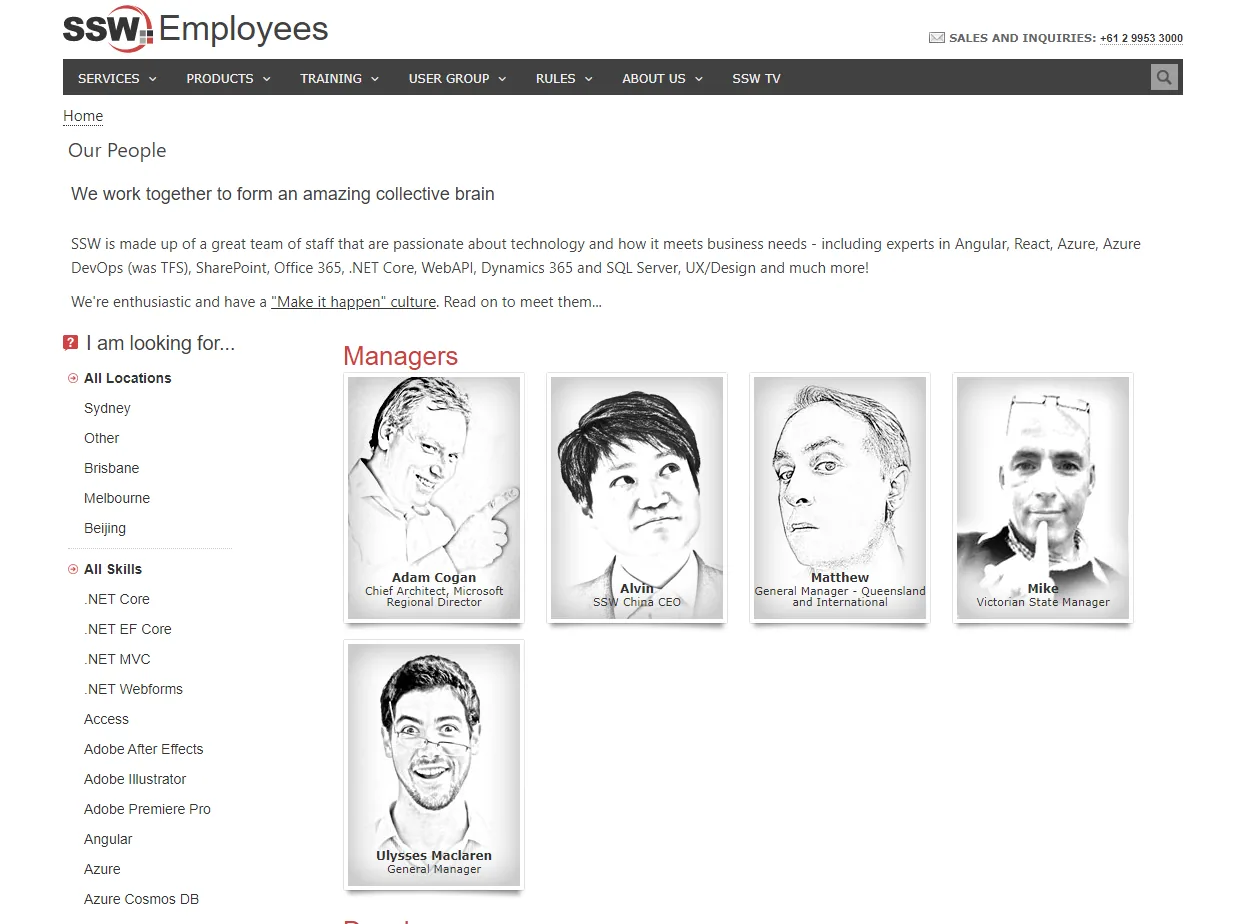
Announcing SSW People
I am happy to announce the release of our SSW Employee Pages V2, now re-branded as SSW People – https://www.ssw.com.au/people (opens in a new tab)
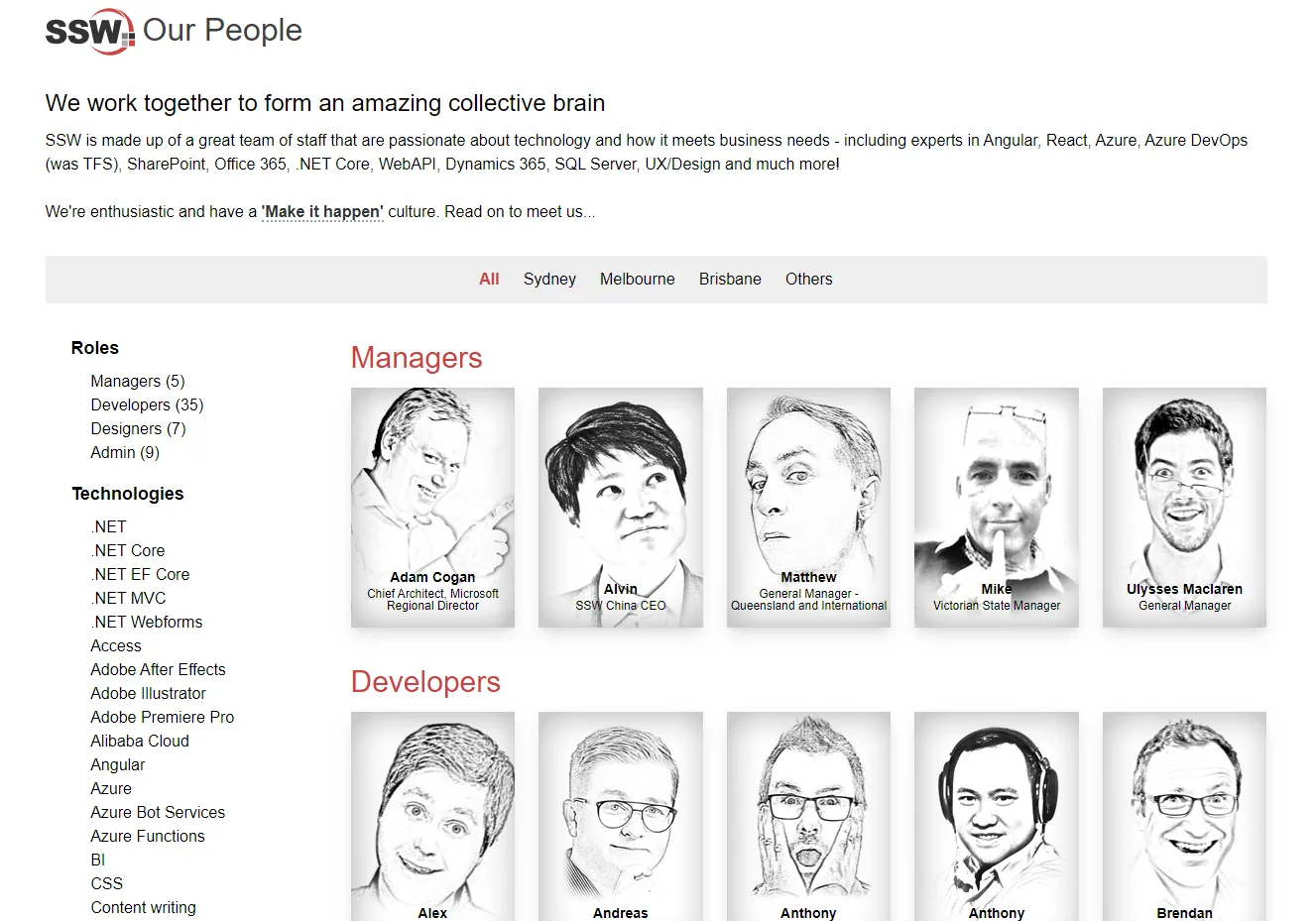
A month ago we released it internally
Everyone’s old profile (i.e. SharePoint) was locked and put in a read-only state. Then the data was migrated from SharePoint to GitHub… and soon there’ll be one less SharePoint server.
The changed workflow was well received.
- Employees now have their instructions out in the open to edit their profile: https://github.com/SSWConsulting/People/blob/master/README.md (opens in a new tab)
- Every time they edit their GitHub profile page the site pages are re-generated.
- Every time they edit their GitHub profile, they’re getting more dots on their GitHub stats page
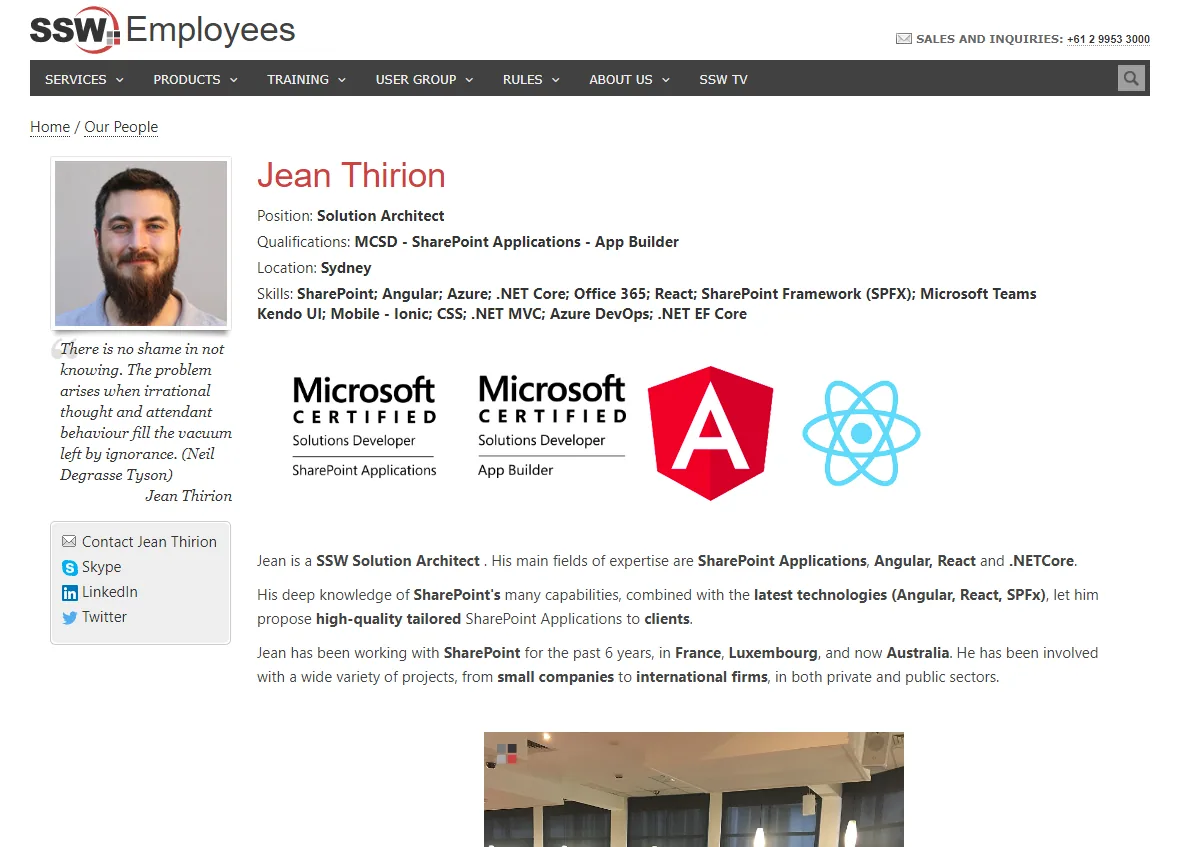
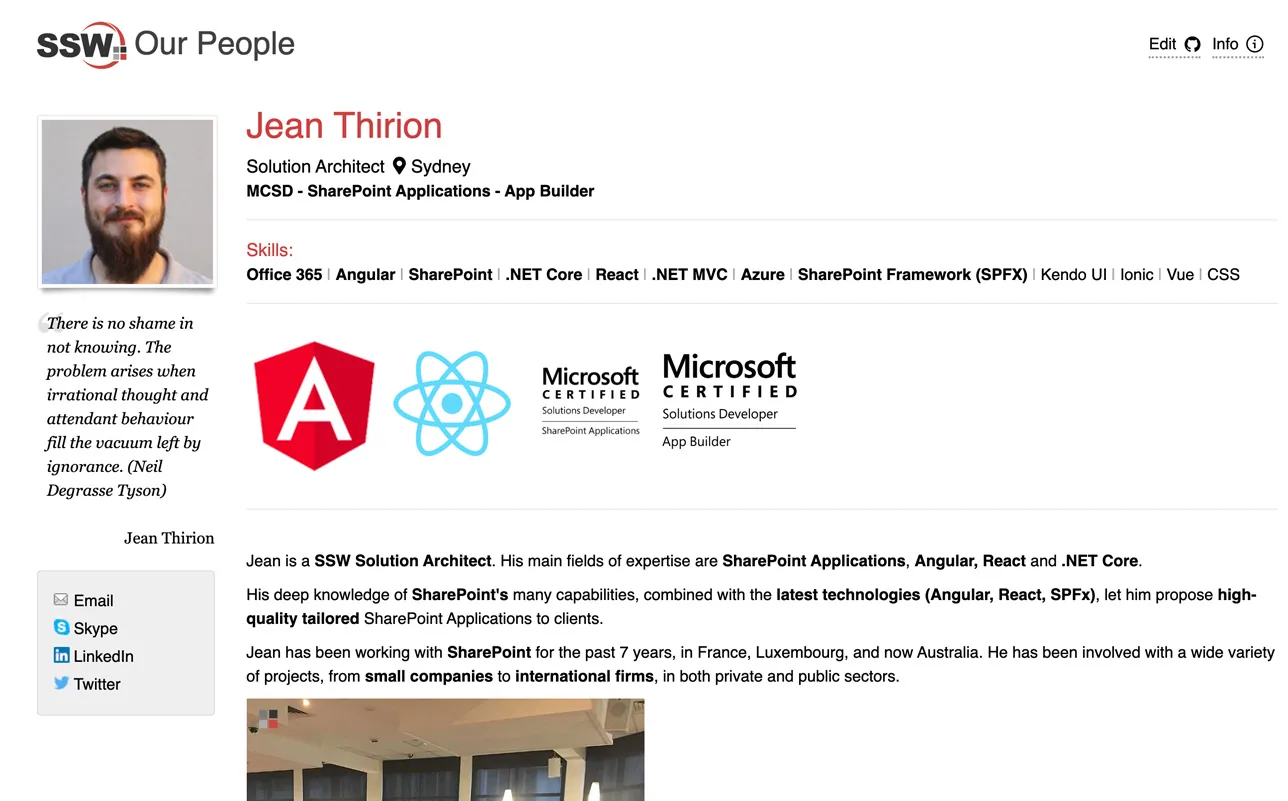
Let’s look at Jean’s page as an example: https://www.ssw.com.au/people/Jean-Thirion (opens in a new tab) – the “edit” link takes you to: https://github.com/SSWConsulting/People/blob/master/Jean-Thirion/Jean-Thirion.md (opens in a new tab)
Then we got feedback on Microsoft Forms
TODO: [Include stats from the MS Form]
The Tech Stack
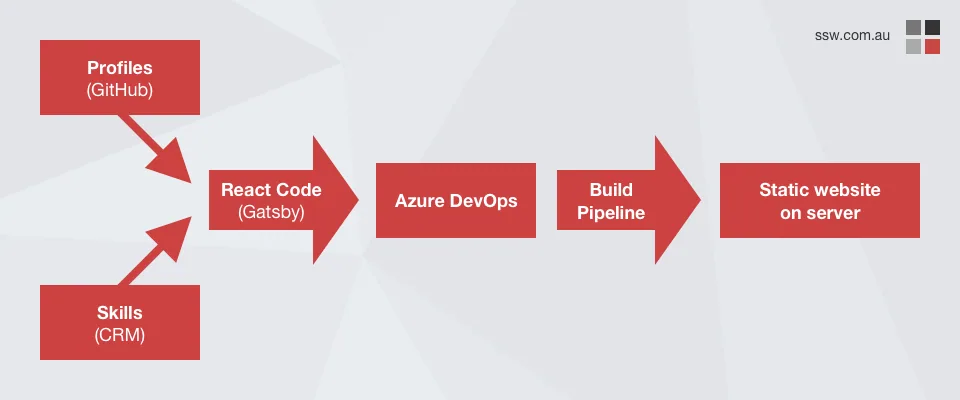
Frontend – JAMStack, Gatsby – https://rules.ssw.com.au/static-site-generator (opens in a new tab)
Note: We evaluated a number of frameworks, including Jekyll (it was great, but too simple) and Next.js (we had reliability problems with page generation), and then settled on Gatsby (works natively with GitHub as a data source and you can query via GraphQL based on tags and branches).
Data format – Markdown – https://rules.ssw.com.au/using-markdown-to-store-your-content (opens in a new tab)
Data – GitHub
Data – Dynamics 365 skills
Source Code – GitHub
Pipelines – Azure DevOps
The GitHub repo is available here for those who want to have a closer look: https://github.com/SSWConsulting/people.ssw.com.au (opens in a new tab)
This is a Gatsby generated website, leveraging data from SSW Profiles (now on GitHub!) https://github.com/SSWConsulting/People (opens in a new tab) and our CRM (thanks to William (opens in a new tab) for the integration). Pages are automatically re-generated and published to our SSW website when a profile markdown page is updated.
Performance – SharePoint vs Static Pages
Moving to static pages generated with Gatsby provided a significant performance boost. Specifically from 68% to 100%
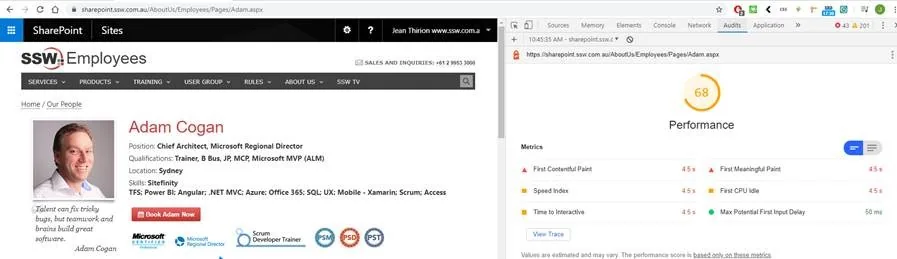
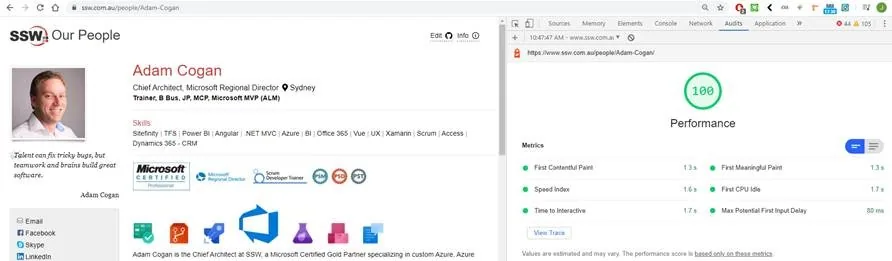
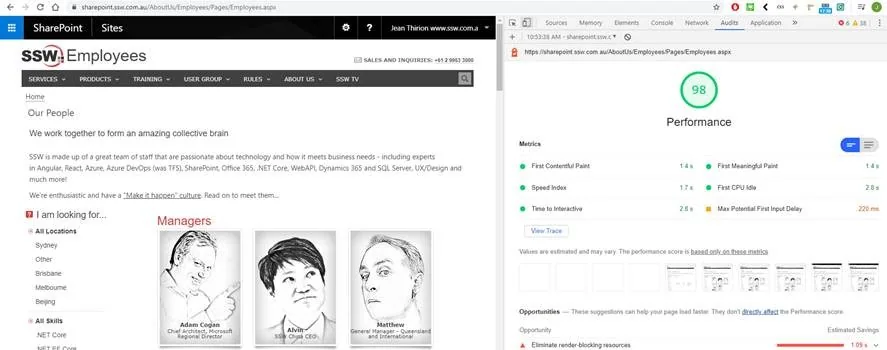
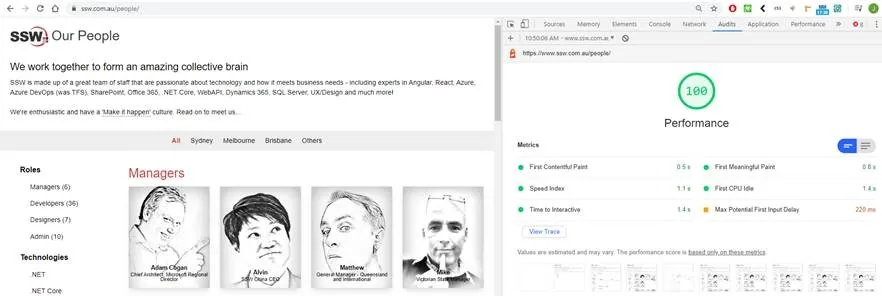
Not only do the pages load heaps faster, they *feel* much more responsive.
Redirects
As we changed all profile URLs, we added 301 redirects from all the old pages to the new ones (see Do you use “301” code to redirect renamed or moved pages? (opens in a new tab)). This ensures we don’t lose our Google juice and users wont see 404’s.
What we don’t have
- Performance problems – now pages are pre-compiled, not generated on request. https://rules.ssw.com.au/static-site-generator (opens in a new tab)
- Ugly CSS problems – now profile data is stored as plain text, not HTML & CSS https://rules.ssw.com.au/using-markdown-to-store-your-content (opens in a new tab)
- HTML text boxes for Content Editors – we are using markdown just like docs.microsoft.com
- Manual suggestions – we don’t need a change x to y email (opens in a new tab) to suggest a change because we have GitHub https://rules.ssw.com.au/make-your-site-easy-to-maintain (opens in a new tab)
Location – subdomains vs subdirectories
Which one do you like better? A subdomain (people.ssw.com.au) or a subdirectory (ssw.com.au/people)?
We decided to use subdirectories because of the nice URL. I was worried about SEO impacts, but after a fair bit of research we discovered that from a purely SEO ranking perspective, the ‘sub folder versus sub domain’ debate is a bit of a myth – it doesn’t really matter. Google is smart enough to work it out. So it really comes down to personal preference.
Summary
As usual, I am very keen to get your feedback. Please have a look and click around. Send any changes to me, or even better be modern and use GitHub Issues (via the edit button in the top right-hand corner).
Now that SSW.People is live, we will likely attack the big monster that is SSW Rules V2. We may follow the exact same process that we used for SSW.People and hopefully it will go much quicker this time, thanks to the lessons learnt. New challenges ahead! Stay tuned
1 Comment
Tim Daly↗ (opens in a new tab) /
Great article, Adam!
Comments above were made on the previous version of this site and are kept as a record.